Keep your child on
the class, not YouTube.
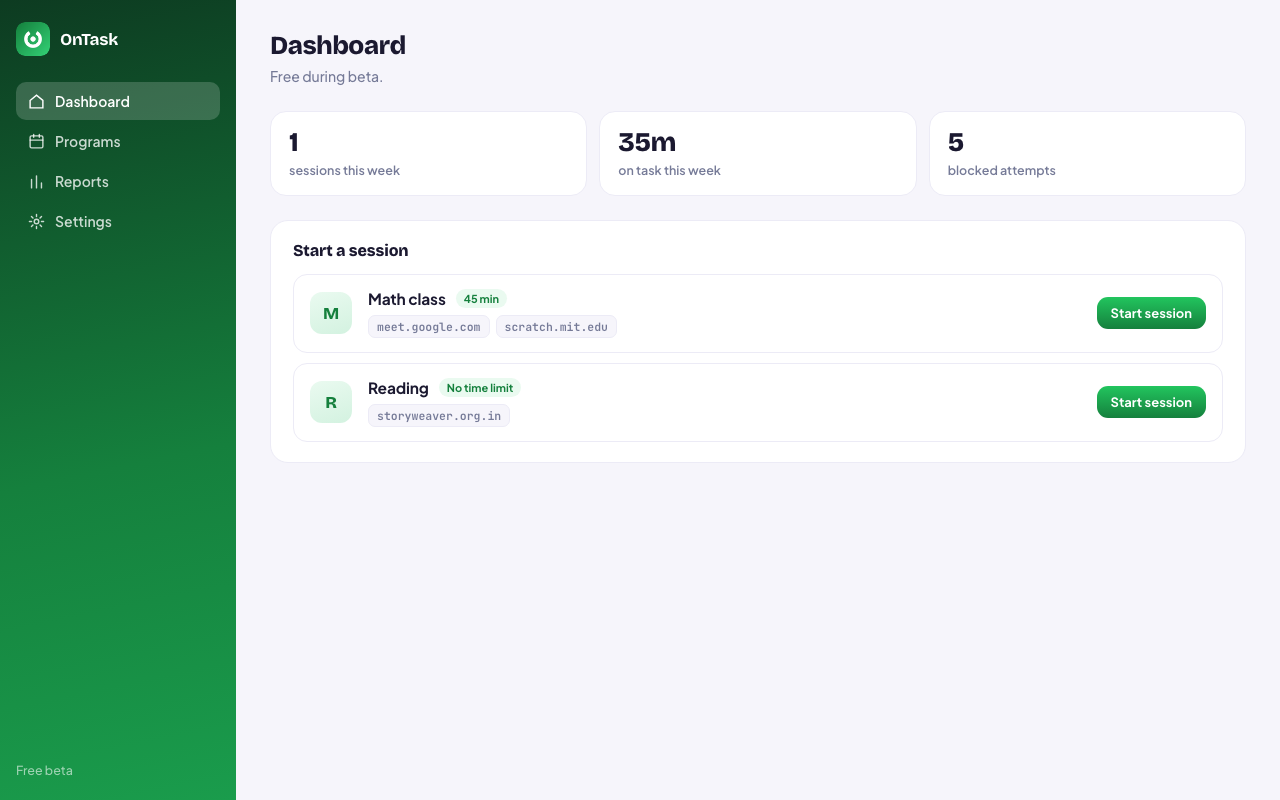
Name the class, set how long it runs, and list the sites it needs. Everything else stops opening until the session ends — and afterwards you get a report of what actually happened.
Only the class, for the length of the class
Allowlist, not blocklist
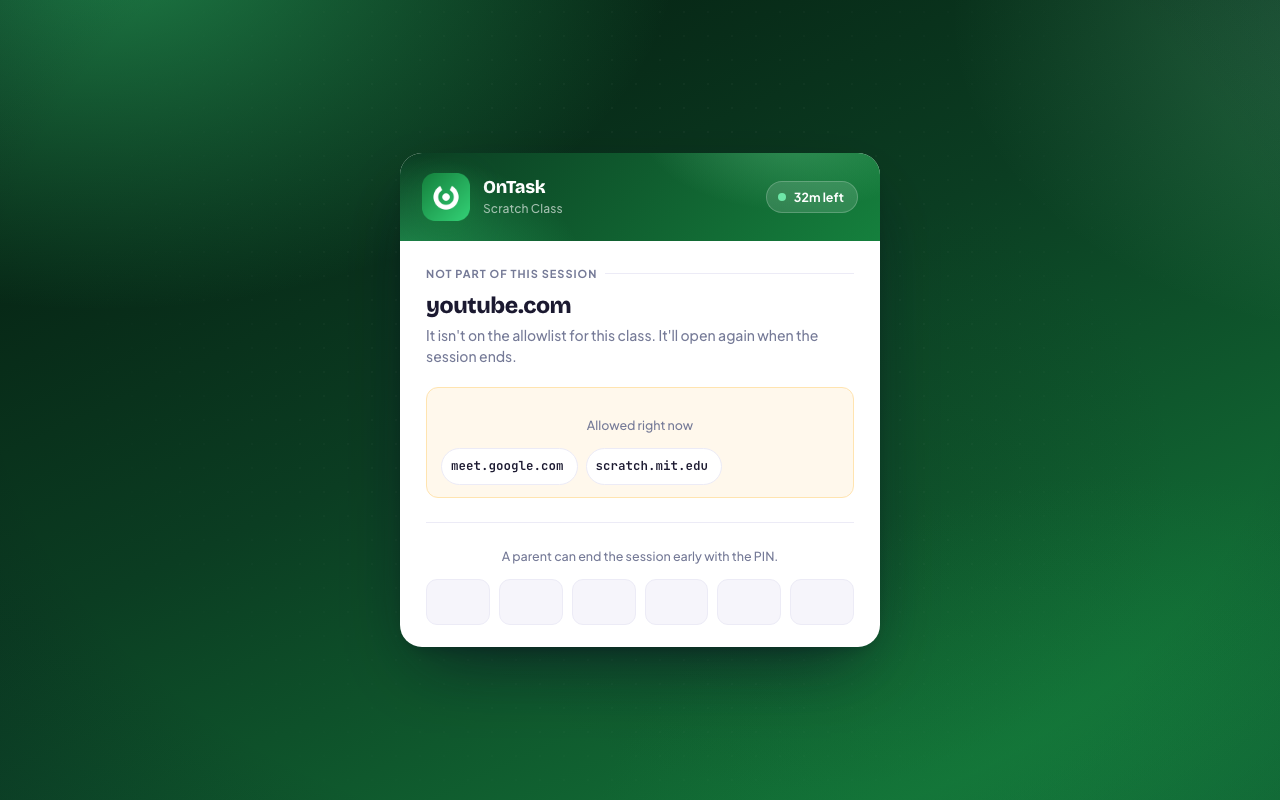
Name the few sites the class needs. Everything else stops, so nothing new slips through.
Timed or open-ended
Set 45 minutes, or run it until you end it. The session closes itself when time is up.
Catches open tabs
Tabs already sitting on something else are pulled into the session too — and returned afterwards.
6-digit parent PIN
A session can't be ended early without it, so a child can't simply switch it off.
Sign-in still works
Joining a class with a school or family Google account isn't broken by the block.
A real report
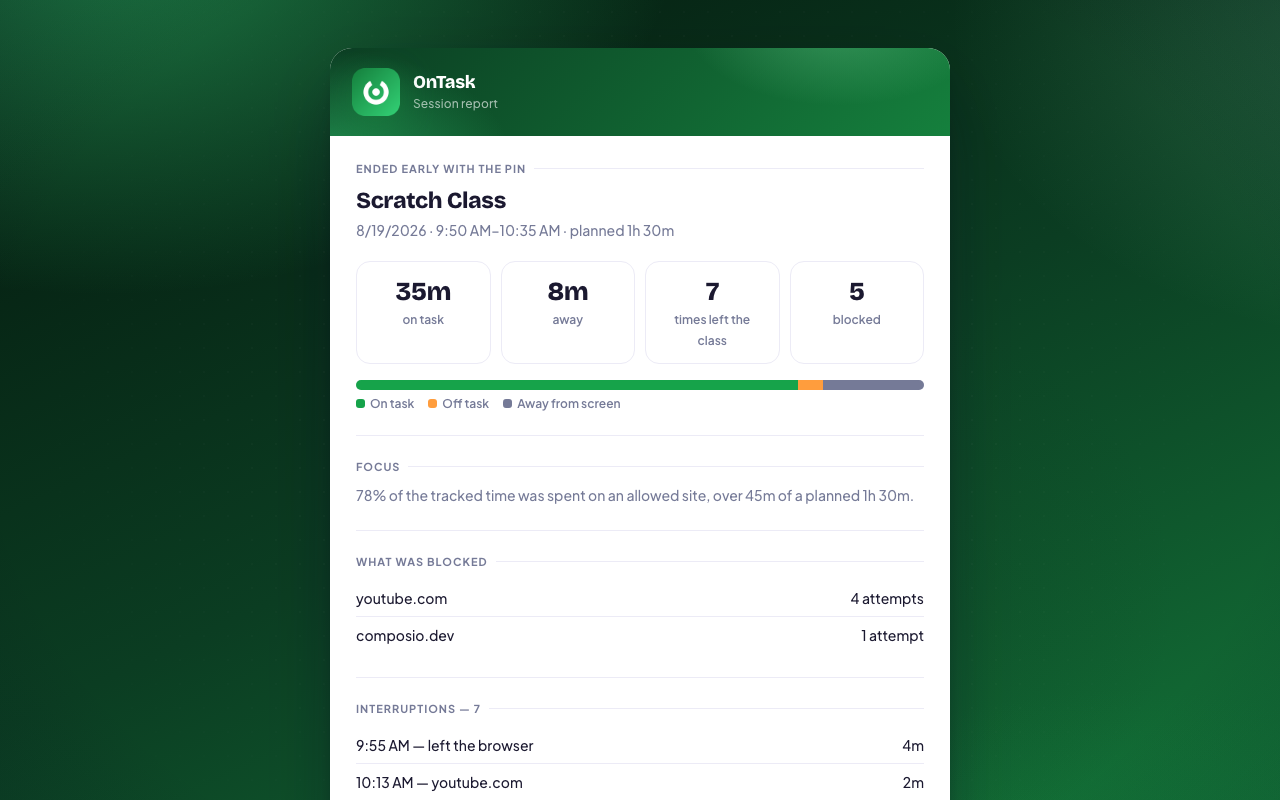
Time on task, time away, how many times attention left, and every site turned away.
Private by design
Your data stays with you. Always.
✓No Account
Free during beta. Nothing to sign up for.
✓100% Local
Programs and reports live in your browser only.
✓Hashed PIN
Stored as a salted PBKDF2 hash — the PIN itself is never saved.
✓No Tracking
No analytics, no SDKs, no data collection.
✓No Servers
Zero network requests. Nothing to breach.
✓Hostnames Only
Reports record the hostname of a blocked site, never full URLs or page content.